

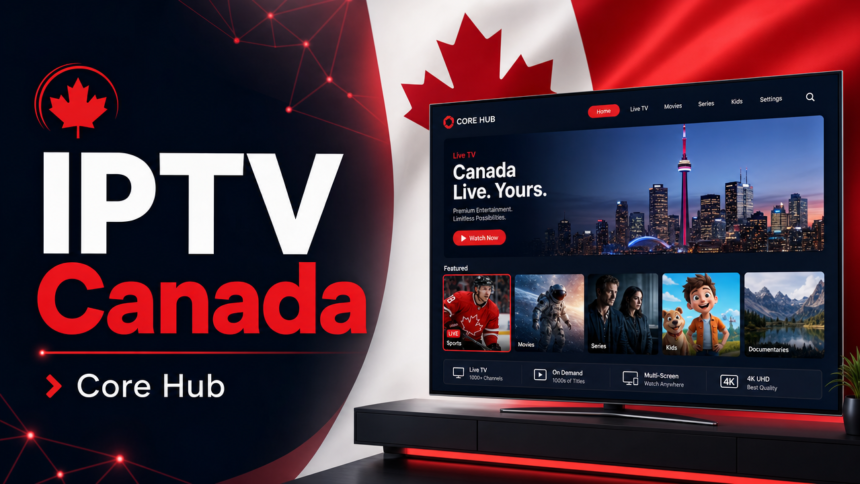
Streaming live TV in Canada has changed fast. Cable bills keep climbing while content sits locked behind too many apps. That is where IPTV Canada steps in, giving you 4K live channels, sports, and movies through your internet plan. IPTV (Internet Protocol Television) sends TV signals over the web, so your Firestick, Smart TV, or phone becomes your main TV box. Whether you cheer for the Leafs in Toronto, the Canucks in Vancouver, or the Canadiens in Montréal, a solid iptv canada service can replace your cable plan for less money. This guide breaks down how it works, what to look for, and how to get started.
What Is IPTV Canada and How Does It Work?
IPTV stands for Internet Protocol Television. Instead of pulling channels through a satellite dish or coaxial cable, IPTV streams them over your home internet. The provider hosts the content on servers, then sends it to your device when you press play.
The result feels like cable, but it is far more flexible. You get live TV, on-demand movies, sports packages, and PPV (Pay-Per-View) events through one app. No installer visits. No extra hardware rental.
The Tech Behind the Stream
- M3U playlists: An M3U is a playlist file/link format that tells your player where to find each channel.
- EPG: The Electronic Program Guide shows what is on now and next, just like a cable grid.
- VOD libraries: Video on Demand gives you on-tap access to movies and series.
- Adaptive bitrate: The stream adjusts quality based on your internet speed.
If your internet plan delivers at least 25 Mbps, you can stream HD without trouble. For 4K, aim for 50 Mbps or higher.
Why Canadians Are Switching to IPTV
Traditional providers like Bell Fibe TV, Rogers Ignite TV, Telus Optik TV, and Videotron Helix still dominate. But many viewers feel stuck with long contracts, fees, and rigid channel bundles.
A modern iptv service canada gives you choice. You can pick a plan, test it, and cancel without penalty. You also get international channels that cable rarely offers.
Key Benefits
- Lower monthly cost: Plans often beat cable by half or more.
- Massive channel count: IPTVMaple lists 25,000+ live Canadian and international channels.
- Huge VOD library: Over 120,000 movies and series ready to stream.
- 4K streaming: Sports and major events look sharp on big screens.
- Multi-device support: Watch on Firestick, Smart TV, iPhone, iPad, Android, Mac, or Windows.
- Multiple streams: Up to 3 simultaneous connections per account.
For a family that wants NHL on TSN, kids shows on CBC Gem, and a global sports pack, this flexibility matters.
Channels and Sports You Can Expect
A quality canadian iptv lineup covers the big national networks plus niche international feeds. The exact list depends on the provider, but the staples below are widely available.
Canadian Networks
- CBC and CBC Gem
- CTV and CTV News
- Global TV
- Citytv
- TSN and Sportsnet for hockey, basketball, and CFL
- Crave for premium movies and series
Sports Coverage
Sports fans get a lot to love. Expect NHL games across the season, CFL matchups, UFC fight nights, NBA, MLB, soccer leagues from Europe, cricket, and PPV boxing.
If you live in Calgary or Edmonton and follow the Flames or Oilers, sports-focused IPTV plans handle the full schedule. Multiple camera angles and out-of-market feeds are common on top providers.
International and Premium Add-Ons
You also get channels from the US, UK, India, the Philippines, France, Italy, Portugal, Latin America, and the Middle East. This is huge for Canada’s diverse households who want news and entertainment from back home.
Device Support: What You Can Use
One reason IPTV has taken off in Canada is that you already own the hardware. No new box needed in most cases.
Recommended Devices
- Amazon Firestick or Fire TV: The most popular IPTV device. Cheap, portable, and easy to set up.
- Smart TVs: Samsung, LG, Sony, and Hisense models support IPTV apps directly.
- Android boxes: Strong for power users who like custom players.
- iPhone and iPad: Great for watching on the go via Wi-Fi or cellular.
- Mac and Windows PCs: Useful for office viewing or second screens.
- Apple TV: Clean interface and reliable performance.
Most users go with a Firestick because it plugs into any HDMI port. You can pair it with your existing internet plan and skip the cable box entirely. Detailed install steps are on the IPTVMaple setup tutorial page.
How Much Does IPTV Cost in Canada?
Pricing is one of the biggest reasons people make the switch. Cable averages $80 to $150 per month once taxes and rentals stack up. IPTV plans land well below that.
IPTVMaple Plan Snapshot
- 1-month plan: $19
- 3-month plan: $29
- 6-month plan: $49
- 12-month plan: $79
The 12-month option works out to under $7 per month. That includes all 25,000+ channels, 120,000+ VOD titles, 4K streams, and up to 3 connections. You can review the full list of options on the IPTVMaple pricing plans page.
Most providers also offer a short trial. IPTVMaple advertises a 24-hour IPTV trial plus a 30-day money-back guarantee, so you can test the service before locking in.
Is IPTV Legal in Canada?
This is the question every smart shopper asks. The short answer is yes, when you choose a licensed provider.
The CRTC (Canadian Radio-television and Telecommunications Commission) regulates broadcasting in Canada. IPTV itself, as a technology, is legal. What matters is whether the provider has the rights to distribute the channels they sell.
What to Check Before You Subscribe
- Provider lists clear terms and a refund policy.
- Customer support is reachable and based in Canada or fluent in Canadian context.
- Payment uses secure gateways.
- The site has a real privacy policy and legal disclaimer.
IPTVMaple positions itself as a legal IPTV provider in Canada and states its subscriptions are licensed. You can read the full terms on the legal IPTV disclaimer page. For broader regulatory context, the CRTC website is the official source.
Setup: How to Get Started in Under 30 Minutes
Switching from cable to IPTV is simple. You do not need a tech background or any new wiring.
Step-by-Step Setup
- Pick a plan: Choose monthly, quarterly, or annual based on your budget.
- Receive your details: The provider emails your M3U link or app login.
- Install the player: Download the recommended app on your Firestick, Smart TV, or phone.
- Enter credentials: Paste the M3U URL or sign in with your username and password.
- Load the EPG: Most players pull the program guide automatically.
- Start streaming: Browse channels, sports, and VOD. Save your favourites.
If you get stuck, the device setup guides walk through every step with screenshots. You can also reach support through the contact page.
Fixing Buffering and Slow Streams
Buffering kills the experience. The good news: most issues come from your network, not the IPTV service.
Quick Fixes
- Test your speed: Aim for 25 Mbps HD, 50 Mbps for 4K.
- Use Ethernet: A wired connection beats Wi-Fi for stability.
- Close background apps: Free up RAM on your device.
- Restart your router: A simple reboot solves many slowdowns.
- Try a VPN: A VPN (Virtual Private Network) sometimes helps if your ISP throttles streaming traffic.
- Pick a closer server: Local servers in Toronto, Vancouver, Montréal, Calgary, and Edmonton reduce lag.
IPTVMaple advertises a 99.9% uptime guarantee. For deeper tips on smooth playback, check the no-buffering IPTV guide.
IPTV vs Cable vs Streaming Apps
Many Canadians mix services. They keep Netflix, add Disney+ for the kids, and use IPTV for live TV and sports. Here is how the three options compare.
Cable (Bell, Rogers, Telus, Videotron)
- Reliable but expensive.
- Long contracts and hidden fees.
- Limited international content.
- Box rentals add to the bill.
Streaming Apps (Netflix, Crave, Prime Video, Disney+)
- Strong on-demand libraries.
- Almost no live TV or live sports.
- Costs add up when you stack four or five apps.
IPTV
- Live TV, sports, PPV, and VOD in one place.
- Lower monthly cost.
- Flexible plans and no installer.
- Works on devices you already own.
For most cord-cutters, IPTV plus one or two streaming apps covers every need.
What to Look for in a Canadian IPTV Provider
Not every service is built the same. Use this checklist before you pay.
- 4K and HD streams: Ask if premium channels run in true 4K.
- Channel count: Make sure the lineup includes your must-haves.
- EPG accuracy: A working guide saves hours.
- Server locations: Canadian servers cut latency for Canadian users.
- Customer support: 24/7 chat or email matters when channels glitch.
- Trial and refund: A trial plus a money-back window protects your wallet.
- Multi-device licensing: Look for 2 or 3 simultaneous connections.
- Transparent pricing: No hidden renewals or surprise charges.
IPTVMaple checks all of these boxes and serves more than 50,000 Canadians across the country.
Common Mistakes to Avoid
A few traps catch new users. Skip these and you will save time and money.
- Cheapest offers from random sellers: If a deal looks unreal, it usually is. Stick to providers with a real website and support.
- No trial period: Always test before you commit long-term.
- Weak internet plan: Upgrade to fibre if you stream in 4K on multiple TVs.
- Skipping the EPG: A loaded EPG makes browsing easy.
- Ignoring refund terms: Read the policy before paying.
For more answers, browse the Canadian IPTV FAQ section.
Who Benefits Most from IPTV in Canada?
IPTV fits many Canadian lifestyles. A few examples:
- Sports fans: Watch every NHL game, UFC card, and CFL matchup without juggling apps.
- Newcomers: Stay connected to channels from your home country.
- Families: Kids content, news, and movies on one bill.
- Snowbirds: Take your subscription to Florida or Arizona on a tablet.
- Renters and students: No installer visits or long contracts.
The flexibility is the real win. You pay for what you watch and nothing more.
Frequently Asked Questions
Is IPTV better than cable in Canada?
For most users, yes. IPTV costs less, offers more channels, and works on devices you already own. Cable still wins on long-term reliability for some rural areas, but urban viewers in Toronto, Vancouver, and Montréal usually have great results with IPTV.
Do I need a VPN to use IPTV in Canada?
Not if you choose a licensed provider. A VPN is optional. Some users add one for extra privacy or if their internet provider throttles streaming. It is a personal choice, not a requirement.
Can I watch NHL games on IPTV?
Yes. Most Canadian IPTV plans include TSN and Sportsnet, which carry the bulk of NHL coverage. International packages may add extra game feeds. Check the channel list before you subscribe to confirm your team’s games are covered.
How many devices can I use on one IPTV account?
This depends on the provider. IPTVMaple allows up to 3 simultaneous connections per account, so you can watch on the living room TV, a bedroom Smart TV, and a phone at the same time.
What internet speed do I need for 4K IPTV?
Aim for 50 Mbps or higher for 4K streams. HD works well at 25 Mbps. If you stream on multiple TVs at once, scale your internet plan up to match.
Final Thoughts: Is IPTV Canada Right for You?
Cutting cable is easier than ever. A good iptv canada plan gives you live TV, 4K sports, huge VOD libraries, and international channels at a price that beats cable hands down. You keep your favourite shows, add what cable never had, and pay only for what you use. With Canadian servers, 3 simultaneous streams, and a 30-day money-back guarantee, the risk is low. Ready to test it? Compare subscription options or reach out through the contact page to get started today.